دروستکردنی لایک بۆکسی فەیسبووک بە شێوەی پەنجەرەیەکی کراوەی خۆکار ( ئۆتۆماتیکی ) بە سیستمی JQEURY بۆ زیادکردنی ژمارەی هاوڕێیانت لەفەیسبوک لەکاتی سەردانی ماڵپەڕەکەت بە شێوەیەکی ڕاستەوخۆ دەكرێتەوە لە دوای چەند چرکەیەک دا دەخرێتەوە
ڕێگەکانی دانانی :
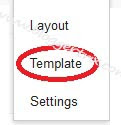
- بچۆ بۆ Blogger Dashboard پاشان > کلیک Layout بکە
- کلیک لەسەرAdd a Gadget
- کلیک لەسەر Edit HTML
پاشان ئەم کۆدەی خوارەوە کۆپی بکە و لەEdit HTML پەیستی بکە.
<!-- jquery popup facebook like box with timer by Making Different @ www.gj37765.blogspot.com -->
<style type='text/css'>
#makingdifferentpopup{
position: fixed;
top:100px;
z-index:9999;
display:none;
padding:0px;
right:600px;
border:10px solid rgba(82, 82, 82, 0.7);
-webkit-background-clip: padding-box; /* for Safari */
background-clip: padding-box; /* for IE9+, Firefox 4+, Opera, Chrome */
-webkit-border-radius:8px 8px 8px 8px;
-moz-border-radius:8px 8px 8px 8px;
border-radius:8px 8px 8px 8px;
width:400px;
height:360px;
overflow:hidden;
}
#makingdifferentpopup span{
font-size:20px !important;
font-weight:bold !important;
}
#makingdifferentpopup h1{
background:#6d84b4 url(https://blogger.googleusercontent.com/img/b/R29vZ2xl/AVvXsEg6j8UKnzvMmIVZRkLfrp8PAEwQ62JxfODJRLAC_lZq6lj90WLQgZdQ69AVh9dEzb2jCuEKFVhvzpggjJSLEnghKGrxz6ze_3G9xsrqEwYvsGii1EFACspNS_W6T8rTqlSFxOToq6k5OjWD/s1600/%255Bwww.gj37765.blogspot.com%255Dh1.png) 98% no-repeat;
border:1px solid #3b5998 !important;
color:#FFFFFF !important;
font-size:20px !important;
font-weight:700 !important;
padding:5px !important;
margin:0 !important;
font-family:'"lucida grande",tahoma,verdana,arial,sans-serif !important;
overflow:hidden !important;
}
.htmlarea{
font-size:12px !important;
font-weight:normal !important;
height:265px !important;
padding:1px !important;
background:#fff !important;
border-bottom:2px solid #ddd;
overflow:hidden !important;
}
#mdfooter{
text-align:left;
background:#F2F2F2 !important;
height:56px !important;
padding:10px 10px 10px 10px !important;
overflow:hidden !important;
}
#mdclose{
float:right;
background-color:#eee !important;
border:1px solid #ccc !important;
color:#111 !important;
font-weight:bold !important;
padding:5px 8px 5px 8px !important;
text-decoration:none !important;
display:inline-block !important;
font-family:'"lucida grande",tahoma,verdana,arial,sans-serif !important;
outline:none !important;
position:relative !important;
font-size:18px !important;
margin:1px !important;
}
#mdclose:active{
top:1px;
left:1px;
}
.grabthis{
bottom:80px;
font:8px "lucida grande",tahoma,verdana,arial,sans-serif;
position:absolute;
right:6px;
text-align:right;
z-index: 99999;
}
.grabthis a{
color: #000;
text-decoration:none;
}
.grabthis a:hover{
text-decoration:underline;
}
</style>
<script type='text/javascript'>
jQuery(document).ready(function() {
function makingdifferent_ppopup() {
var sec = 10
var timer = setInterval(function() {
$("#mdfooter span").text(sec--);
if (sec == 0) {
$("#makingdifferentpopup").fadeOut("slow");
clearInterval(timer);
}
},1000);
var mdwh = jQuery(window).height();
var mdpph = jQuery("#makingdifferentpopup").height();
var mdfromTop = jQuery(window).scrollTop()+50;
jQuery("#makingdifferentpopup").css({"top":mdfromTop});}
jQuery(window).fadeIn(makingdifferent_ppopup).resize(makingdifferent_ppopup)
//alert(jQuery.cookie('sreqshown'));
//var mdww = jQuery(window).width();
//var mdppw = jQuery("#makingdifferentpopup").width();
//var mdleftm = (mdww-mdppw)/2;
var mdleftm = 500;
//var mdwh = jQuery(window).height();
//var mdpph = jQuery("#makingdifferentpopup").height();
//var mdfromTop = (jQuery(window).scrollTop()+mdwh-mdpph) / 2;
jQuery("#makingdifferentpopup").animate({opacity: "1", left: "0" , left: mdleftm}, 0).show();
jQuery("#mdclose").click(function() {
jQuery("#makingdifferentpopup").animate({opacity: "0", left: "-5000000"}, 1000).show();});});
</script>
<div id="makingdifferentpopup">
<h1>Join us on Facebook</h1>
<div class="htmlarea">
<iframe src="//www.facebook.com/plugins/likebox.php?href=لینکی تایبەت بە پەیجی فەیس بووکی خۆت&width=400&colorscheme=light&show_faces=true&border_color=%23fff&stream=false&header=false&height=250" scrolling="no" frameborder="0" style="border:none; overflow:hidden; width:400px; height:250px;" allowtransparency="true"></iframe>
<div class="grabthis">
</a> / <a href="http://gj37765.blogspot.com/2012/12/Facebook-LikeBox-JQuery-Popup-with-Timer.html" target="_blank"></a>
</div>
</div>
<div id="mdfooter">
Please wait..<span>10</span> Seconds
<a href="#" id="mdclose" onclick="return false;">Cancel</a>
</div>
</div>
<!-- End popup -->>
<style type='text/css'>
#makingdifferentpopup{
position: fixed;
top:100px;
z-index:9999;
display:none;
padding:0px;
right:600px;
border:10px solid rgba(82, 82, 82, 0.7);
-webkit-background-clip: padding-box; /* for Safari */
background-clip: padding-box; /* for IE9+, Firefox 4+, Opera, Chrome */
-webkit-border-radius:8px 8px 8px 8px;
-moz-border-radius:8px 8px 8px 8px;
border-radius:8px 8px 8px 8px;
width:400px;
height:360px;
overflow:hidden;
}
#makingdifferentpopup span{
font-size:20px !important;
font-weight:bold !important;
}
#makingdifferentpopup h1{
background:#6d84b4 url(https://blogger.googleusercontent.com/img/b/R29vZ2xl/AVvXsEg6j8UKnzvMmIVZRkLfrp8PAEwQ62JxfODJRLAC_lZq6lj90WLQgZdQ69AVh9dEzb2jCuEKFVhvzpggjJSLEnghKGrxz6ze_3G9xsrqEwYvsGii1EFACspNS_W6T8rTqlSFxOToq6k5OjWD/s1600/%255Bwww.gj37765.blogspot.com%255Dh1.png) 98% no-repeat;
border:1px solid #3b5998 !important;
color:#FFFFFF !important;
font-size:20px !important;
font-weight:700 !important;
padding:5px !important;
margin:0 !important;
font-family:'"lucida grande",tahoma,verdana,arial,sans-serif !important;
overflow:hidden !important;
}
.htmlarea{
font-size:12px !important;
font-weight:normal !important;
height:265px !important;
padding:1px !important;
background:#fff !important;
border-bottom:2px solid #ddd;
overflow:hidden !important;
}
#mdfooter{
text-align:left;
background:#F2F2F2 !important;
height:56px !important;
padding:10px 10px 10px 10px !important;
overflow:hidden !important;
}
#mdclose{
float:right;
background-color:#eee !important;
border:1px solid #ccc !important;
color:#111 !important;
font-weight:bold !important;
padding:5px 8px 5px 8px !important;
text-decoration:none !important;
display:inline-block !important;
font-family:'"lucida grande",tahoma,verdana,arial,sans-serif !important;
outline:none !important;
position:relative !important;
font-size:18px !important;
margin:1px !important;
}
#mdclose:active{
top:1px;
left:1px;
}
.grabthis{
bottom:80px;
font:8px "lucida grande",tahoma,verdana,arial,sans-serif;
position:absolute;
right:6px;
text-align:right;
z-index: 99999;
}
.grabthis a{
color: #000;
text-decoration:none;
}
.grabthis a:hover{
text-decoration:underline;
}
</style>
<script type='text/javascript'>
jQuery(document).ready(function() {
function makingdifferent_ppopup() {
var sec = 10
var timer = setInterval(function() {
$("#mdfooter span").text(sec--);
if (sec == 0) {
$("#makingdifferentpopup").fadeOut("slow");
clearInterval(timer);
}
},1000);
var mdwh = jQuery(window).height();
var mdpph = jQuery("#makingdifferentpopup").height();
var mdfromTop = jQuery(window).scrollTop()+50;
jQuery("#makingdifferentpopup").css({"top":mdfromTop});}
jQuery(window).fadeIn(makingdifferent_ppopup).resize(makingdifferent_ppopup)
//alert(jQuery.cookie('sreqshown'));
//var mdww = jQuery(window).width();
//var mdppw = jQuery("#makingdifferentpopup").width();
//var mdleftm = (mdww-mdppw)/2;
var mdleftm = 500;
//var mdwh = jQuery(window).height();
//var mdpph = jQuery("#makingdifferentpopup").height();
//var mdfromTop = (jQuery(window).scrollTop()+mdwh-mdpph) / 2;
jQuery("#makingdifferentpopup").animate({opacity: "1", left: "0" , left: mdleftm}, 0).show();
jQuery("#mdclose").click(function() {
jQuery("#makingdifferentpopup").animate({opacity: "0", left: "-5000000"}, 1000).show();});});
</script>
<div id="makingdifferentpopup">
<h1>Join us on Facebook</h1>
<div class="htmlarea">
<iframe src="//www.facebook.com/plugins/likebox.php?href=لینکی تایبەت بە پەیجی فەیس بووکی خۆت&width=400&colorscheme=light&show_faces=true&border_color=%23fff&stream=false&header=false&height=250" scrolling="no" frameborder="0" style="border:none; overflow:hidden; width:400px; height:250px;" allowtransparency="true"></iframe>
<div class="grabthis">
</a> / <a href="http://gj37765.blogspot.com/2012/12/Facebook-LikeBox-JQuery-Popup-with-Timer.html" target="_blank"></a>
</div>
</div>
<div id="mdfooter">
Please wait..<span>10</span> Seconds
<a href="#" id="mdclose" onclick="return false;">Cancel</a>
</div>
</div>
<!-- End popup -->>
١- لە شوێنی ( لینکی پەیجی فەیسبووکی تایبەت بەخۆت ) لینکی پەیجی تایبەت بە فەیسبووکی خۆت داخڵ بکە .
٢- وە هەروەها بۆ کەم کردنەوە یان زیاد کردنی کاتی داخستنەوە گۆڕانکاری بکە لە var sec = 10 بۆ هەر ژمارەیەک کە خۆت ئەتەوێت.